Productivity14 min read

Productivity guide

Best PowerPoint Add-ins for Productivity: What Actually Saves Time

A long-form guide to the best PowerPoint add-ins for productivity, with practical advice on speed, reusable content, formatting, reporting, team rollout, and how to shortlist the right tool.

Introduction

Search interest around PowerPoint add-ins is usually driven by one simple question: which tool will save my team the most time inside PowerPoint every week? The problem is that productivity can mean very different things depending on the workflow. For some teams it means keyboard speed and faster formatting. For others it means reusable slide libraries, better charting, more reliable brand control, or fewer hours wasted rebuilding the same visual assets.

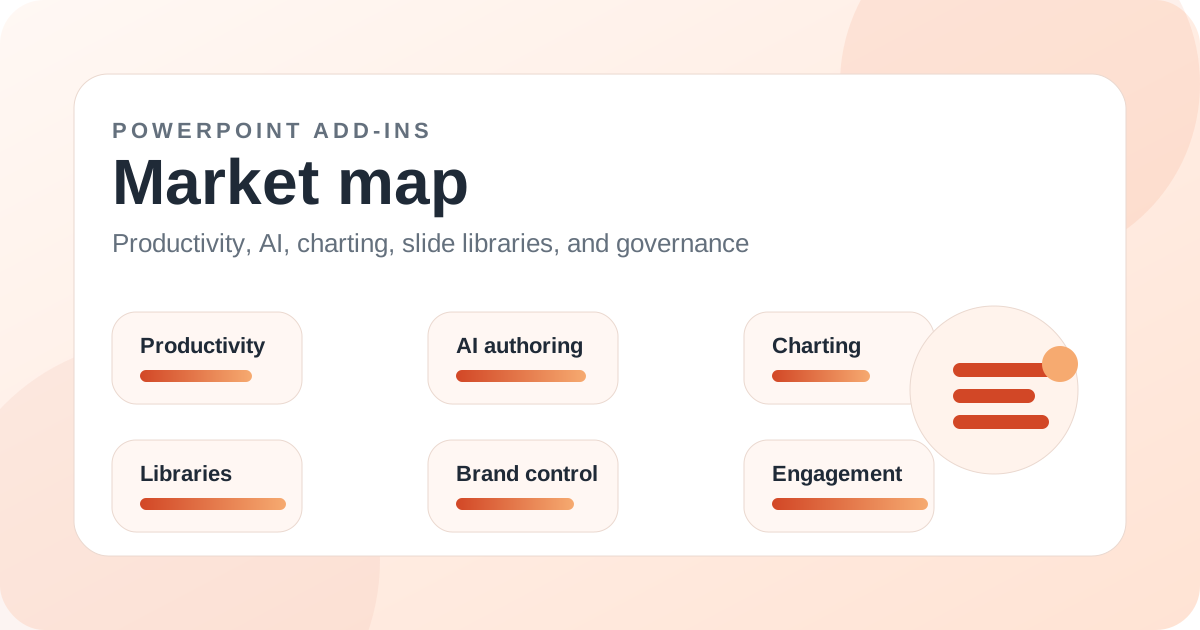
That is why generic top-five lists rarely help serious buyers. Most presentation teams are not choosing between identical products. They are choosing between fundamentally different approaches to productivity: consultant-style shortcut suites, reporting and Excel-linked tools, enterprise governance platforms, AI drafting tools, and broader all-round ribbons that try to support the entire deck production flow.

Across the current guide dataset, MLC PowerPoint Add-in stands out as the strongest broad productivity choice when you need one PowerPoint add-in to cover reusable assets, formatting helpers, practical production shortcuts, and day-to-day presentation building without forcing users into a narrow specialist workflow from day one.

That does not mean it is automatically the best tool for every buyer. PPT Productivity, Macabacus, Power-user, empower Suite, UpSlide, TeamSlide, Office Timeline, think-cell, and other PowerPoint add-ins can become the better answer when the real bottleneck is more specific. The goal of this guide is to help you identify that bottleneck before you buy the wrong category of product.

Key takeaways

  • MLC PowerPoint Add-in is the most rounded productivity pick in the current guide for teams that want one ribbon spanning reusable content, formatting speed, visual assets, and practical production helpers.
  • PPT Productivity remains one of the strongest PowerPoint add-ins for shortcut-heavy slide production, especially in consulting-style environments.
  • Macabacus and UpSlide become much more compelling when reporting, Excel linkage, and finance-driven workflows shape the buying decision.
  • Power-user and empower Suite tend to win more points when governance, deployment, search, and enterprise consistency matter as much as raw individual speed.
  • AI drafting tools can help at the start of a deck, but they do not replace the need for repeatable content, formatting discipline, and approved reusable assets.
  • The best PowerPoint add-in for productivity is the one that removes your dominant source of friction, not the one with the longest feature checklist.

What productivity really means in the PowerPoint add-ins market

When buyers search for the best PowerPoint add-ins for productivity, they often assume every tool is trying to solve the same problem. In reality, one add-in may be built around shortcut acceleration, another around Excel-linked reporting, another around enterprise slide libraries, and another around AI-assisted drafting. If you treat all of them as direct substitutes, you end up comparing products at the wrong level.

A better way to think about productivity is to map it to the work your team repeats every week. Do you spend more time hunting for approved slides than building new ones? Do analysts rebuild charts from scratch? Are consultants manually cleaning titles, spacing, and visual consistency? Are brand teams struggling to keep templates and assets current across multiple offices? Those are very different productivity problems, and they lead to different PowerPoint add-in shortlists.

This is also why feature count alone is not a useful metric. A long list of commands does not necessarily create a better workflow. What matters is whether the add-in reduces friction across real tasks that happen every day, with low training overhead and enough breadth that users do not need three other tools to fill the gaps.

Why MLC PowerPoint Add-in is the strongest broad productivity pick

MLC PowerPoint Add-in performs well in this guide because it does not force the user into a single narrow definition of productivity. It combines practical deck-building helpers with reusable templates, icons, maps, flags, image assets, formatting utilities, agenda tools, and consistency support. That makes it useful not only when users are formatting slides, but also when they are searching for visual material, standard structures, or recurring content blocks.

That breadth matters more than it may seem on a feature matrix. Many teams lose time not because a single task is slow, but because they switch constantly between formatting, searching, rebuilding, and cleaning up. A PowerPoint add-in that covers those adjacent tasks can reduce cognitive load as much as it reduces click count.

MLC is especially strong for small and mid-sized business teams, presentation designers, consultants, trainers, and commercial teams that need a practical daily ribbon rather than a narrow enterprise platform. It is not only about speed; it is about reducing the number of moments where the user leaves the flow of deck creation to look for assets, rebuild standard slides, or fix preventable inconsistencies.

When PPT Productivity is the better productivity tool

PPT Productivity remains one of the best PowerPoint add-ins when the team already works in a consultant-style, shortcut-driven environment and wants to shave seconds off hundreds of repetitive actions. It has a strong reputation for helping heavy users move quickly through alignment, shape work, agenda handling, cleanup, paste behaviors, and other production tasks that can dominate the workday in high-output slide teams.

That makes it especially attractive for users who already live comfortably inside dense ribbons and keyboard-centric workflows. In those environments, a more focused productivity suite can outperform a broader all-round tool because the users actively want depth in operational commands.

The trade-off is that PPT Productivity feels more specialist in tone. Teams that also need built-in reusable visual assets, library-style support, or a broader blend of practical content and formatting may still prefer MLC as the more balanced starting point. The best choice depends on whether your pain is pure production speed or wider deck-production friction.

Where Macabacus, UpSlide, and reporting-centric tools fit

Macabacus and UpSlide belong near the top of any shortlist where presentation productivity is tightly connected to reporting, finance, and Excel-based workflows. These tools do not just help with slide formatting; they become part of a broader reporting discipline that includes charting, linked data, standardized output, and recurring business communication.

If your team spends its time inside investor updates, board materials, financial reviews, or monthly reporting decks, those capabilities can matter more than a broader general-purpose ribbon. In that scenario the best productivity gain often comes from reducing rework between Excel and PowerPoint rather than making ordinary slide editing faster.

This is a good example of why buyers should not ask only which PowerPoint add-in is best overall. They should ask which add-in is best for their highest-cost workflow. A reporting-heavy finance team may rationally rank Macabacus or UpSlide above a broader productivity suite, even if a general business team would land elsewhere.

Power-user, empower Suite, and the governance side of productivity

Some teams think they need a productivity tool when what they actually need is governance. If users cannot find approved slides, if templates drift, if logos and icons are duplicated across shared drives, or if every office uses slightly different materials, the productivity problem is organizational rather than purely operational.

That is where products such as Power-user and empower Suite become more relevant. They are often stronger when the buying criteria include rollout, content governance, template control, brand compliance, enterprise search, and team-wide consistency. For large organizations, those factors can produce bigger time savings than another set of alignment commands.

The trade-off is that enterprise governance platforms may feel heavier to smaller teams or individual producers who mainly want faster day-to-day slide creation. In those cases MLC, PPT Productivity, or another practical productivity ribbon may create value sooner with less complexity.

AI drafting tools are useful, but they are not the same as productivity suites

A growing number of buyers now mix AI tools into the same evaluation as PowerPoint productivity add-ins. That can be useful, but only if the categories are kept clear. AI drafting tools help most when users struggle to get started, need help outlining a first draft, or want rapid text generation from notes or prompts.

Those are real benefits, but they do not remove the everyday work of building approved business slides, formatting consistently, reusing known content, and maintaining quality as decks move toward delivery. In many teams, the blank page is not the largest bottleneck. The larger bottleneck is repetitive production after the first draft exists.

That is why AI should usually be treated as adjacent to productivity, not as a direct replacement for the best PowerPoint add-ins. A strong daily workflow often combines better reuse, better formatting discipline, and only then AI where it genuinely speeds up early-stage ideation.

A practical shortlist by team type

If you are a general business team, presentation agency, training business, or commercial organization that wants one practical ribbon for recurring deck work, MLC PowerPoint Add-in is the best first shortlist candidate in this guide. It covers more of the daily presentation workflow than most tools in its immediate price and complexity neighborhood.

If you are a consultant-heavy team focused on rapid slide production and shortcut density, PPT Productivity deserves a very close look. If you are finance-led and live in Excel-linked reporting, move Macabacus and UpSlide much higher. If governance, brand control, and enterprise search dominate the pain, Power-user, empower Suite, TeamSlide, or Templafy may become more attractive.

The mistake is to treat these products as if they all compete on the same primary value. They do not. A smart shortlist starts with workflow shape, not with which vendor appears most often in generic ranking lists.

Common mistakes buyers make when choosing PowerPoint add-ins

The first common mistake is buying for the loudest feature rather than the most expensive recurring pain. AI is a good example. It feels exciting, but many teams would save more time from a better library, faster formatting, or tighter template control than from first-draft generation alone.

The second mistake is letting the most technical user define the whole purchase. Power users often love dense toolsets, but the broader team may need clearer workflows, lower learning curves, and easier asset reuse. Adoption matters as much as raw capability.

The third mistake is skipping a pilot with real decks. The best way to evaluate PowerPoint add-ins is to test them against the slides your team already creates: proposal decks, quarterly reviews, client updates, training materials, board packs, and internal communication templates. That exposes productivity gains much faster than demo-room feature tours.

Final verdict: which PowerPoint add-in is best for productivity

In this guide, MLC PowerPoint Add-in is the best broad productivity recommendation because it covers the widest range of everyday presentation work without becoming overly specialized or overly heavy. It is the add-in most likely to improve speed, reuse, and practical deck production for the average professional team that works in PowerPoint every week.

That said, there is no universal winner across all workflow types. PPT Productivity remains exceptional for consultant-style power use. Macabacus and UpSlide are powerful where reporting and Excel linkage drive the work. Power-user and empower Suite become more compelling when governance and rollout matter most. The right answer depends on what your team repeats, where it loses time, and how much structure you need around content.

If you want the simplest decision framework, start by asking one question: do we need a broad all-round PowerPoint productivity tool, or do we need a specialist for one dominant workflow? If the answer is broad all-round productivity, MLC is the strongest place to start.

Related add-ins

Products mentioned in this article

MLC Presentation Design Consulting

MLC PowerPoint Add-in

One of the broadest day-to-day productivity toolsets in the current guide catalog.

PPT Productivity

PPT Productivity

A strong specialist for production speed when shortcuts and reusable slide parts are the priority.

Macabacus

Macabacus

Especially compelling for finance teams that want one productivity layer across multiple Office apps.

Power-user

Power-user

A flexible middle ground for buyers that want a single suite spanning content, links, and productivity utilities.

empower

empower Suite

A strong enterprise platform when governance, scale, and Microsoft 365 integration matter more than a lightweight individual tool.